Upselling with the Update Package Feature
Plenty of clients start with the package that feels safe and want more once the work is on the calendar. Elevation Advisor makes that easy: the proposal your client signed stays open to them, and they can move up to a bigger package on their own, without a new proposal or a phone call.
How your client moves up
The link in your client's confirmation email ("View your signed proposal") still works after they sign. The acceptance email also invites them to take another look if they want to do more with their property.
When they open it, the package they signed shows as Your current option. Every other package shows a button:
- Move up to this on a bigger package.
- Change to this on a package at the same price or less.
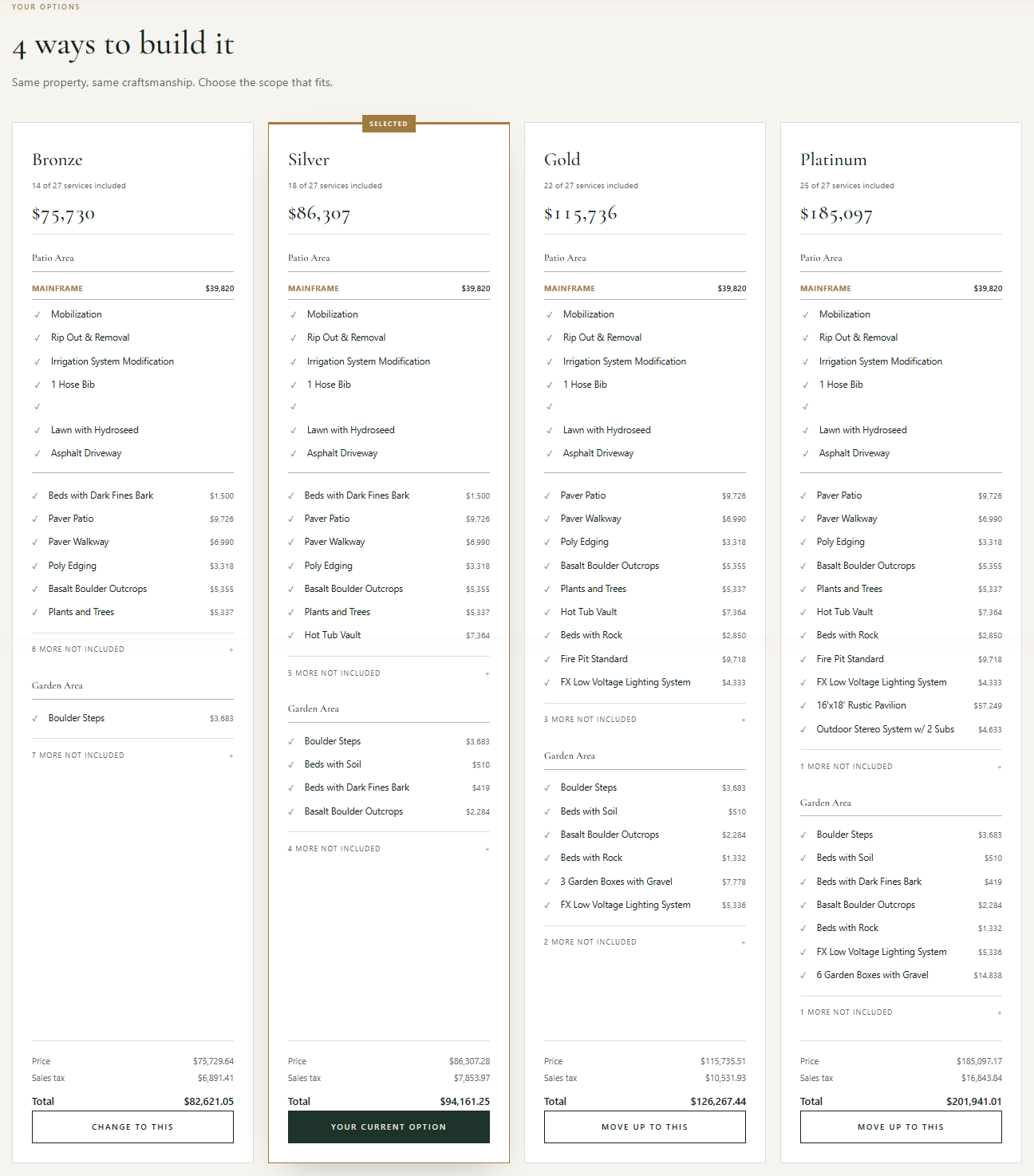
Your client clicks the one they want, reviews the new price and payment schedule, and signs again in the Move up to box: type their name, check the two agreement boxes, and click Move up to with the package name.
Opening it for your client
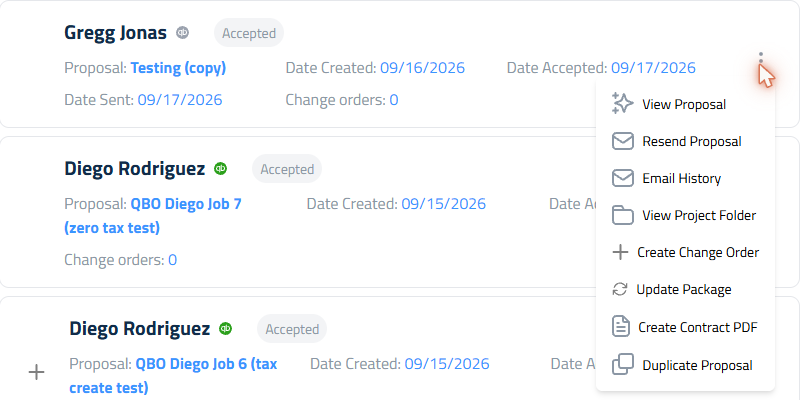
Presenting the upgrade yourself? On the Proposals page, open the three-dot menu on the accepted proposal and click Update Package. That opens your client's view of the signed proposal, so they can move up right there with you.
What happens behind the scenes
When your client moves up, Elevation Advisor creates a change order named after the proposal with Package Update at the end. It works like any other change order: the difference in price is added to the contract, invoices you've already sent stay exactly as they are, and the payments still ahead are recalculated to cover the new total. Your client and your office both get the usual confirmation.
Updated on: 09/17/2026
Thank you!