Users and Roles
Members
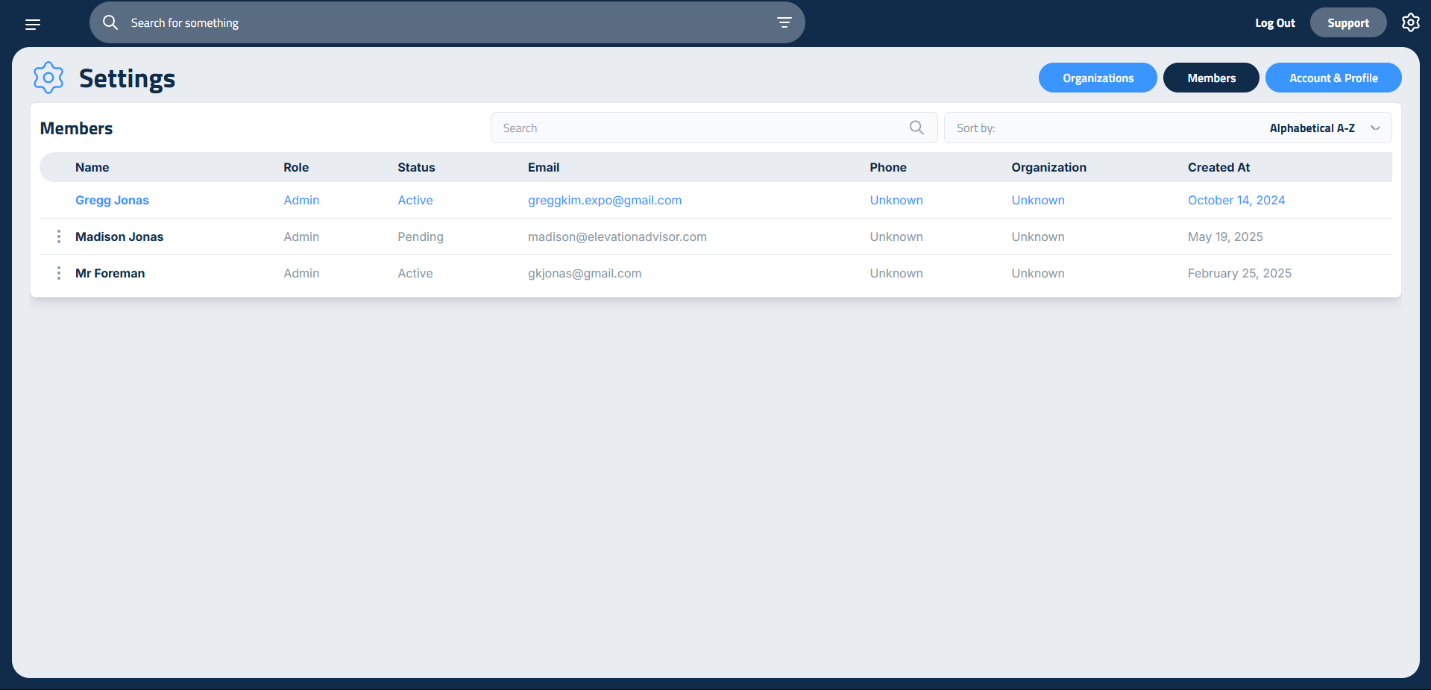
When you open the settings, you’ll land on the Members page.
Here you’ll see a list of each user in your company who’s using Elevation Advisor. For each person, you’ll find:
- Role
- Status (Active or Pending)
- Phone number
- Organization
- Date joined
Pending means the user has been invited but hasn’t activated their account yet.
User Roles
A quick guide for each available User Role is available here.
Feature / Section | Owner/Admin | Manager | Estimator/Sales | Sales | Accounting | Foreman/PM | Field |
|---|---|---|---|---|---|---|---|
Dashboard | ✅ | ✅ | ✅ | ✅ | ✅ | ✅ |
|
Proposals | ✅ | ✅ | ✅ | View Only | View Only |
|
|
Projects | ✅ | ✅ | ✅ | ✅ | ✅ | No Budget $ |
|
Invoicing | ✅ | ✅ | ✅ | ✅ | ✅ |
|
|
Smart Calendar | ✅ | ✅ | ✅ | View Only | View Only | View Only | View Only |
Profit Genie | ✅ |
|
|
|
|
|
|
Expenses | ✅ |
|
|
| ✅ |
|
|
Labor | ✅ | ✅ |
|
| ✅ |
|
|
Reporting | All | All | Materials Only | Materials Only | All |
|
|
Materials | ✅ | ✅ | ✅ | ✅ | ✅ |
|
|
Equipment | ✅ | ✅ | ✅ | ✅ | ✅ | View Only |
|
Subcontractors | ✅ | ✅ | ✅ | ✅ | ✅ | View Only |
|
Clients | ✅ | ✅ | ✅ | ✅ | ✅ | View Only |
|
Settings | ✅ | ✅ |
|
|
|
|
|
Time Reporting | Full | Full | Self Only | Self Only | Full | Full | Self Only |
Updated on: 01/08/2026
Thank you!